
Open Loops
Open Loops, in the sidebar, is one view of every unresolved obligation Vrge can see: client emails you haven't answered, threads that went quiet after you wrote, and invoices past their due date. It answers the question every business owner wakes up with: what do I owe people, and what do people owe me?
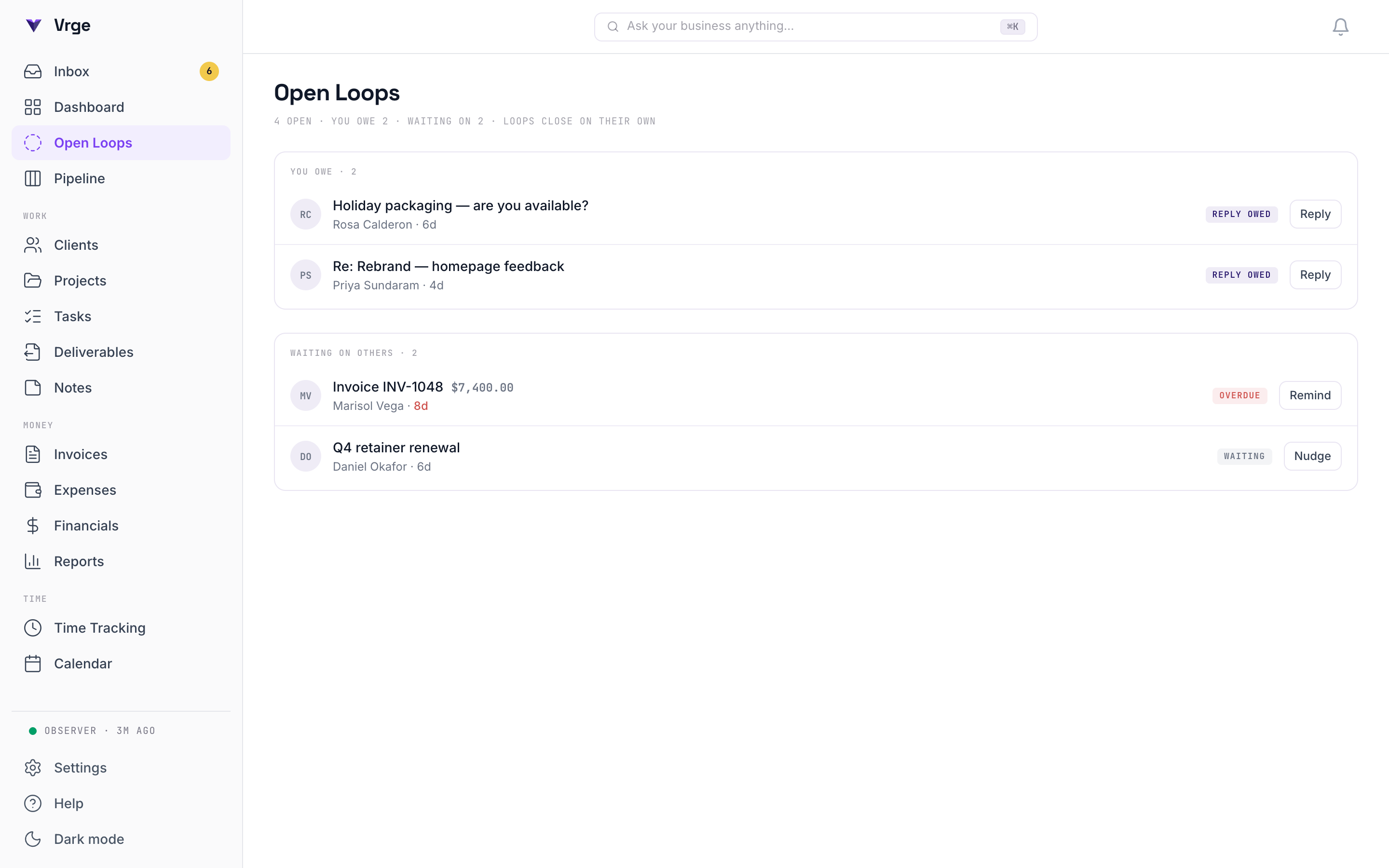
How loops work
- A loop is computed, not logged. Vrge looks at who spoke last in each thread and when, plus which invoices are past due. There is nothing to enter, tag, or maintain, and no AI guessing involved: it's date math on observed facts.
- Loops appear in two groups: You owe (a client wrote and you haven't replied) and Waiting on others (you wrote and they've gone quiet, or their invoice is overdue).
- Strangers can't put loops on you. Inbound mail only counts when it comes from your existing clients and imported contacts. Newsletters and cold senders never show up here. Threads you start are always tracked, though: if you wrote to someone, the conversation matters, whether or not they're in your CRM.
- A thread becomes a loop after a few days of silence, not immediately. The page surfaces what's genuinely stalled, not this morning's unread mail.
Loops close themselves
This is the part no ordinary CRM can do. There is no checkbox and no “mark as done”: when you answer the email, the loop stops existing on the next scan. When the payment lands, the invoice loop disappears. Because loops are recomputed from reality every time, the page is always true: even if you ignore Vrge for a week, you come back to an accurate picture, not a stale to-do list demanding cleanup.
Why this matters for your business
Small businesses rarely lose clients to bad work. They lose them to dropped balls: the quote that never went out, the warm lead that went cold waiting for a reply, the invoice nobody chased. Follow-up is where deals die, and every conventional CRM makes tracking it your job. Open Loops inverts that: because Vrge already watches your email and your money, it can see the dropped ball before it costs you the client, and it can see you pick it up, too.
Where loops appear
- The Open Loops page in the sidebar: the full list, both groups, each row linking to its evidence.
- A Dashboard strip (“You owe 2 · Waiting on 3”) that only appears when something is actually open. All caught up means it's simply gone.
- Notifications for loops older than a week. The page is where you look; the bell only speaks up when something has sat too long.
A note on sent mail
To know who's waiting on whom, Vrge reads the messages you sent as well as the ones you received, under the same read-only access you already granted (nothing new to approve). Your own sent mail is never treated as incoming signal: it can't become a proposed client or project. Details in the privacy policy.
Current scope
Today, loops cover email threads and overdue invoices. Meetings that ended without a follow-up are on the roadmap. You can try the feature right now in the interactive demo: open the Open Loops page and mark the overdue invoice paid.